Hatch Restore 3 vs Google Nest Hub for Sleep
Affiliate Disclosure: As an Amazon Associate I earn from qualifying purchases. Some links on this page are affiliate links. If you buy through them we earn a small commission at no extra cost to you. Our recommendations are based on research into specifications, published evidence and product listings. Learn more.
Quick Picks


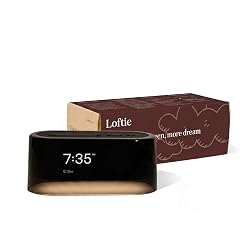
The Hatch Restore 3 is the better choice for sleep if your priority is a dedicated bedtime routine with sunrise alarm, soundscapes, and guided wind-down content. The Google Nest Hub makes more sense if you already live in the Google ecosystem and want a general-purpose smart display that also handles basic sleep tracking. They solve different problems, and buying the wrong one is a surprisingly easy mistake to make.
I’ve had both on my nightstand. Not as a quick unboxing exercise, but running them through proper sleep testing over several weeks each. After a decade of anxiety-driven insomnia, I’ve become particular about what earns a permanent spot in my bedroom. Most things don’t make the cut. consider this I found.
This comparison sits within a broader collection of sleep product head-to-heads I’ve been building out. If you want context on how I approach these, the Comparisons Hub has everything in one place, from sound machines to sleep trackers to bedding.
Shop on Amazon: Hatch Restore 3 → | Google Nest Hub →

Who Are These Devices Actually Built For?
This is the question that most comparison articles skip, and it’s the most important one. Because these two devices don’t really compete with each other in any meaningful way. They just happen to both sit on nightstands.
The Hatch Restore 3 is a sleep-specific device. Full stop. Hatch built it to anchor your bedtime routine, and every design decision reflects that. The warm, dimmable light. The curated library of sleep meditations, breathing exercises, and soundscapes. The gentle sunrise alarm that wakes you gradually instead of jolting you awake. It doesn’t browse the web, answer your calendar questions, or show you the weather. It does one thing and tries to do it well.
The Google Nest Hub is a smart home display that happens to have sleep features. It can control your lights, manage your shopping list, run YouTube videos, show your Google Photos, and yes, track your sleep using its Soli radar sensor. Sleep is a feature. For the Hatch, sleep is the product.
When I was deep in my worst insomnia years, working in a senior management role and struggling to mentally clock out at the end of the day, I would have found the Nest Hub actively counterproductive. Having a device next to my bed that could pull up emails or play YouTube at midnight was not what I needed. I needed friction between me and stimulation, not less of it. That context matters a lot when you’re choosing between these two.
What Does the Hatch Restore 3 Actually Do?
The third generation of the Restore is a meaningful upgrade over its predecessors. The display is larger and cleaner, the speaker quality has improved noticeably, and the app integration feels more polished. But the core philosophy hasn’t changed, and that’s a good thing.
The light system is the centrepiece. You can set it to dim gradually as your bedtime routine begins, shifting from a warmer amber tone to near-darkness as you fall asleep. The sunrise simulation does the reverse in the morning, brightening slowly over 30 minutes before your alarm sounds. based on available evidence published through the National Institutes of Health, light exposure is one of the most powerful regulators of circadian rhythm, which is why this feature isn’t just a gimmick. Getting light cues right at both ends of the night genuinely matters.
The soundscape library is solid. White noise, pink noise, rain, ocean, fan sounds, and a range of nature recordings. You can also access guided sleep meditations and breathing exercises through the Hatch app, though the premium content requires a subscription. That’s a meaningful caveat I’ll come back to.
One thing I appreciated during testing was how little the Restore 3 asked of me once I’d set it up. My routine was configured, the light schedule was running, and I didn’t have to think about it. For someone managing sleep anxiety, reducing the number of decisions and interactions at bedtime matters. The American Psychological Association has documented extensively how cognitive load before bed can delay sleep onset, and a device that runs quietly in the background without demanding engagement is genuinely useful for that reason.

What Does the Google Nest Hub Do for Sleep?
The Nest Hub’s sleep tracking is more interesting than I expected, and more limited than Google implies. The second-generation Nest Hub (and the current model) uses a radar-based sensor called Soli to detect movement and breathing patterns without any wearable. You just place it on your nightstand and it passively monitors you through the night.
In the morning, you get a sleep summary in Google Fit showing estimated sleep stages, movement, coughing and snoring detection, and room conditions like light and temperature. It’s genuinely impressive technology for a $100 device.
Here’s my honest take on sleep tracking data, though, having used multiple trackers over the years. I’ve found it has limited practical value for most people, and for those of us prone to health anxiety, it can actively make things worse. I’ve had nights where I felt reasonably rested, checked my tracker data, and then spent the morning convinced something was wrong because my deep sleep percentage looked low. The Mayo Clinic has noted that orthosomnia, the anxiety about achieving perfect sleep metrics, is a real phenomenon worth taking seriously. The Nest Hub’s sleep data is interesting. Whether it’s useful depends entirely on your temperament.
The Nest Hub also offers ambient soundscapes and a gentle alarm, but these feel like afterthoughts compared to the Restore 3. The sound options are limited, there’s no guided content, and the sunrise alarm function is basic. If sound quality matters to you for sleep, I’d point you toward my roundup of the best white noise machines in 2025, which covers dedicated audio options that outperform both of these devices on pure sound quality.
The Subscription Problem: Hatch’s Hidden Cost
This is where I have to be direct, because the marketing doesn’t make it obvious. The Hatch Restore 3 costs around $200 at retail. But the library of sleep content, including the meditations, breathing exercises, and premium soundscapes, requires a Hatch+ subscription at roughly $5 per month or $50 per year.
Without the subscription, you still get the light features, the sunrise alarm, and a small selection of basic sounds. The device still functions. But the content library that makes the Restore genuinely compelling is locked behind the paywall. Over three years, you’re looking at $350 total for the device and subscription combined. That’s a meaningful number.
I think this is worth paying if sleep is a genuine priority and you’ll actually use the guided content. I’ve found structured breathing exercises and body scan meditations to be among the most effective tools I’ve used for anxiety-driven insomnia, more reliable than most supplements I’ve tested. But if you’re going to buy the Restore and never open the content library, you’re essentially paying $200 for a sunrise alarm clock with decent speakers. Good sunrise alarm clocks exist for $60.
The Google Nest Hub has no subscription requirement. Everything it offers is included in the purchase price, and Google Fit is free. That’s a genuine advantage, even accounting for the weaker sleep feature set.

Sound Quality and the Sleep Environment Question
Both devices play sound. Neither is a dedicated sound machine, and that distinction matters more than most people realise.
The Hatch Restore 3 has a noticeably better speaker than the Nest Hub. The white noise and pink noise options are full, warm, and consistent. I ran them at moderate volume for several nights and found the sound quality genuinely pleasant, which is not something I’d say about most built-in device speakers. For a light sleeper in a quiet environment, it’s probably sufficient.
But if you’re dealing with real noise intrusion, whether that’s traffic, a snoring partner, or a noisy neighbourhood, neither device is going to cut it. The research on sound masking for sleep is actually quite nuanced. A piece I wrote exploring whether white noise machines genuinely help sleep covers what the evidence actually shows, and the short version is that consistency and volume matter as much as the type of sound. Dedicated sound machines with larger drivers simply perform better at this than any smart display.
For budget-conscious buyers who want better sound masking without spending a lot, my guide to the best budget white noise machines covers options that start under $30 and genuinely outperform what either of these devices can produce on audio alone.
Privacy and the Bedroom Tech Question
I want to spend a moment on this because I think it gets glossed over in most tech comparisons, and it’s something I’ve thought about quite a bit.
The Google Nest Hub is, fundamentally, a Google device. It has a microphone. It processes data through Google’s cloud. The sleep tracking data it collects goes into Google Fit. If you’re already deep in the Google ecosystem and comfortable with that data relationship, this probably doesn’t register as a concern. If you’re not, it’s worth thinking about before you put a Google-connected sensor next to your bed that monitors your breathing patterns through the night.
The Hatch Restore 3 also has app connectivity and collects usage data. It’s not entirely offline. But it’s a purpose-built sleep device from a smaller company whose entire business model is sleep products, which feels meaningfully different from a major tech platform adding sleep tracking to a general-purpose smart home hub.
This is a personal judgement call. I raise it not to alarm anyone but because I think it’s a factor worth weighing consciously rather than by default.
How Do They Compare for Families and Different Sleepers?
Hatch has a strong track record with family sleep products. If you’re familiar with the Hatch Rest line for babies and toddlers, the Restore 3 is essentially the adult version of that philosophy. I’ve covered the differences between the Hatch Rest 2nd Gen and the Rest+ in another piece, and the brand consistency is notable. They understand sleep routines across age groups in a way that Google simply doesn’t.
For parents specifically, the Nest Hub’s smart home integration can be useful. Being able to check the baby monitor, control the nursery light, or set a quick alarm without reaching for your phone is genuinely convenient. Speaking of baby sleep, if you’re looking at sound options for younger children, my guide to the best white noise machines for babies covers safer, purpose-built options that are better suited for infant use than either of these devices.
For solo sleepers or couples who both want to use the device, the Restore 3’s shared routine features work reasonably well. You can set different schedules and the app allows multiple profiles. The Nest Hub doesn’t really have a concept of shared sleep tracking in the same way.
For travellers, neither of these is practical. They’re nightstand devices, not portable ones. If you need sound masking or sleep support on the road, a dedicated travel option is a much better fit. I’ve tested a number of these and written up the best white noise machines for travel if that’s the use case you’re actually trying to solve.

The Setup and Daily Use Experience
Setup for both devices is straightforward if you’re comfortable with smartphones and apps. The Hatch app is cleaner and more sleep-focused. The Google Home app is more powerful but also more complex, because it’s managing an entire ecosystem of smart home devices, not just your nightstand.
Day to day, the Restore 3 largely disappears into the background, which is exactly what I want from a bedroom device. Once my routine is configured, I don’t interact with the app much. The physical controls on the device itself are minimal and intuitive. Volume, brightness, a tap to start or stop. That’s it.
The Nest Hub is more interactive by design. You’ll find yourself talking to Google Assistant, swiping through the display, and checking your sleep data in the morning. Whether that’s a feature or a bug depends on your relationship with screens and voice assistants. For me, during my worst sleep periods, more interaction with technology at bedtime was definitively not helpful. The CDC recommends keeping the bedroom environment calm and associated primarily with sleep, and a device that invites ongoing interaction runs counter to that principle.
I should also mention that the Restore 3’s display is much warmer and dimmer by default. The Nest Hub’s screen, even at minimum brightness, is noticeably cooler and brighter. For anyone sensitive to blue light exposure before bed, this is a real difference. Research indexed by the NIH consistently links blue-spectrum light exposure in the evening to delayed melatonin production and later sleep onset. The Restore 3 handles this better out of the box.
Price, Value, and the Honest Bottom Line
At face value: Hatch Restore 3 runs around $200 plus a $50 per year subscription for full content access. Google Nest Hub runs around $100 with no ongoing costs.
But the value question is more nuanced than the price tags suggest. If sleep is genuinely a problem for you, and you’re willing to engage with structured routines, guided content, and consistent light cues, the Restore 3’s premium is probably justified. The tools it provides are evidence-aligned and well-executed. The World Health Organization has identified sleep disorders as a global public health concern, and the cost of chronic poor sleep, in health, productivity, and quality of life, dwarfs the cost of a good sleep device.
If you just want a smart display for your bedroom that can also give you some basic sleep data, the Nest Hub is a reasonable choice. It’s not a sleep specialist. It’s a capable generalist at a fair price.
My honest recommendation: if you’re reading this article because sleep is a real issue for you, buy the Hatch Restore 3 and commit to the subscription for at least three months. If you’re reading this because you want a smart display and are mildly curious about sleep tracking, the Nest Hub is fine and costs half as much.
Neither device is a magic solution. I learned that lesson the hard way, cycling through products looking for the thing that would fix everything. What actually moved the needle for me was a combination of consistent sleep timing, a cooler room, removing screens from the bedroom earlier in the evening, and finding the right tools for managing the anxious thoughts that kept me awake. The Restore 3 supports that kind of routine well. The Nest Hub is more neutral.

Quick Comparison: Hatch Restore 3 vs Google Nest Hub
Hatch Restore 3
Price: Around $200 plus $50 per year for Hatch+ subscription. Sleep focus: Purpose-built, everything designed around bedtime routines. Light: Excellent warm-to-sunrise system, highly customisable. Sound: Good quality, extensive library with subscription. Sleep tracking: None built in. Privacy: Smaller company, sleep-specific data collection. Smart home: Limited, sleep-focused only. Best for: People with genuine sleep difficulties who want a structured routine tool.
Google Nest Hub
Price: Around $100, no subscription required. Sleep focus: Secondary feature on a general smart display. Light: Basic ambient display, not optimised for sleep. Sound: Limited options, lower audio quality. Sleep tracking: Radar-based, no wearable needed, data in Google Fit. Privacy: Google ecosystem, cloud-connected data processing. Smart home: Excellent, full Google Assistant integration. Best for: Google ecosystem users who want a versatile nightstand display with basic sleep awareness.
Read more articles on the Comparisons Hub.
Transparency Disclaimer: This article contains affiliate links to sleep products. If you purchase through these links, liveworksleep may earn a commission at no additional cost to you. These commissions help support our independent testing and honest reviews. We only recommend products that align with our experience-based evaluation standards.
About the Author
Scott Hilliard is a sleep improvement specialist who spent 10 years managing anxiety-driven insomnia. Through personal testing of dozens of sleep products, professional consultations, and extensive research into sleep science, Scott now helps others find practical, evidence-based solutions for better sleep. His approach combines honest product reviews with real-world experience, always prioritising what actually works over marketing hype.
Frequently Asked Questions
Is the Hatch Restore 3 worth the subscription cost?
If you actively use the guided sleep content, including meditations, breathing exercises, and curated soundscapes, the Hatch+ subscription at around $50 per year is reasonable value. If you only want the light and alarm features, you can use the device without subscribing, though the content library is significantly reduced. The subscription makes most sense for people dealing with genuine sleep difficulties who will engage with the structured wind-down content regularly.
Does the Google Nest Hub sleep tracking actually work?
The Nest Hub’s radar-based sleep tracking is technically impressive for a device at this price point. It estimates sleep stages, detects movement, and can identify coughing and snoring without any wearable. However, accuracy varies compared to clinical sleep studies, and the data should be treated as a general indicator rather than a precise measurement. For people prone to health anxiety, checking sleep metrics every morning can sometimes create more stress than it resolves.
Can the Google Nest Hub replace a dedicated white noise machine?
For light sleepers in quiet environments, the Nest Hub’s sound options may be adequate. For anyone dealing with significant noise intrusion, traffic, a snoring partner, or a loud building, a dedicated white noise machine with a proper speaker driver will perform noticeably better. The Nest Hub’s speaker is not designed primarily for sustained overnight sound masking, and the sound library is limited compared to purpose-built devices.
Which device is better for light sensitivity before bed?
The Hatch Restore 3 handles this better. Its display is designed to emit warm, amber-toned light at low intensity, and the entire light system is built around minimising sleep-disrupting blue light exposure in the evening. The Google Nest Hub’s screen, even at minimum brightness, emits a cooler, brighter light that is less well-suited for pre-sleep use. If blue light sensitivity is a concern, the Restore 3 is the more thoughtfully designed option.
Should I get the Hatch Restore 3 or a dedicated sound machine?
It depends on what you need most. If your primary issue is noise masking, a dedicated sound machine will outperform the Restore 3 on pure audio quality and volume. If your primary need is a structured sleep routine with light cues, guided content, and a sunrise alarm, the Restore 3 offers a more complete package than any standalone sound machine. Many people find the best setup combines a dedicated sound machine for audio with the Restore 3 for light and routine management.